 Linkedlytics
For ghostwriters, agencies, and teams
LinkedIn MCP for analytics and reporting
Bring your LinkedIn content data into your favourite AI assistant. Linkedlytics’ LinkedIn MCP server helps ghostwriters, agencies, and teams find what works, understand who engages, and prepare client reports using authorised workspace data.
By Linkedlytics · Reviewed
01
Connect your reporting data
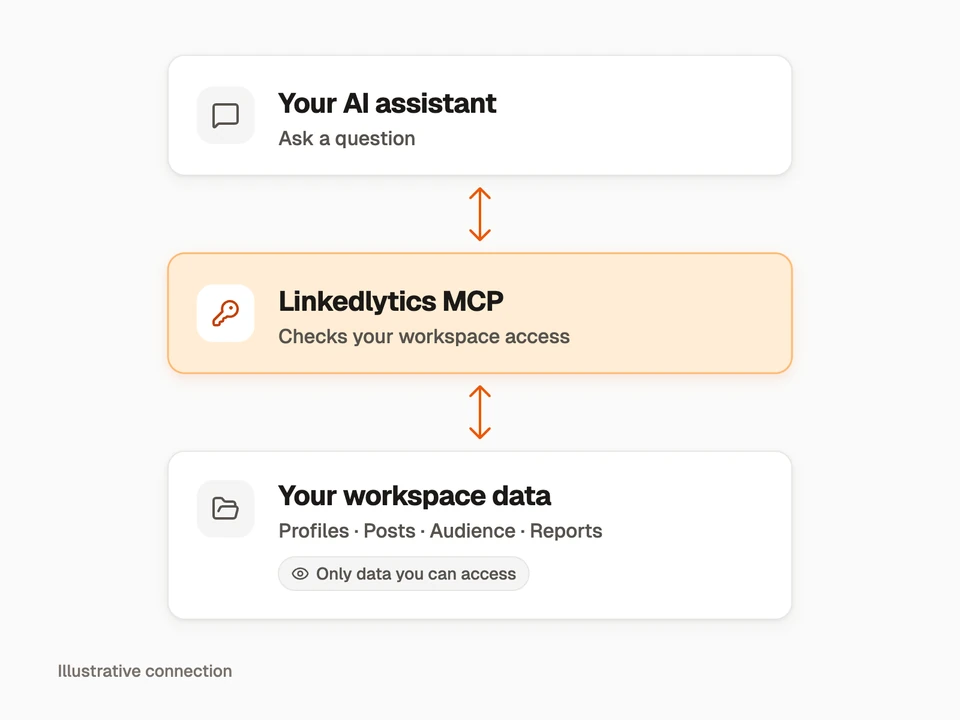
A LinkedIn MCP server gives an AI assistant a way to work with LinkedIn-related data and tools through Model Context Protocol (MCP). Linkedlytics provides that connection for the profiles, posts, audience information, and reports collected in your workspace.
Your assistant requests a tool, Linkedlytics checks your access, and the tool returns the available data. You choose the workspace and question; the assistant helps you interpret the response.
You need a Linkedlytics account and collected data for the profiles you want to analyse. This is an independent Linkedlytics integration, not an official LinkedIn connector or access to every LinkedIn profile.
02
Find your strongest content
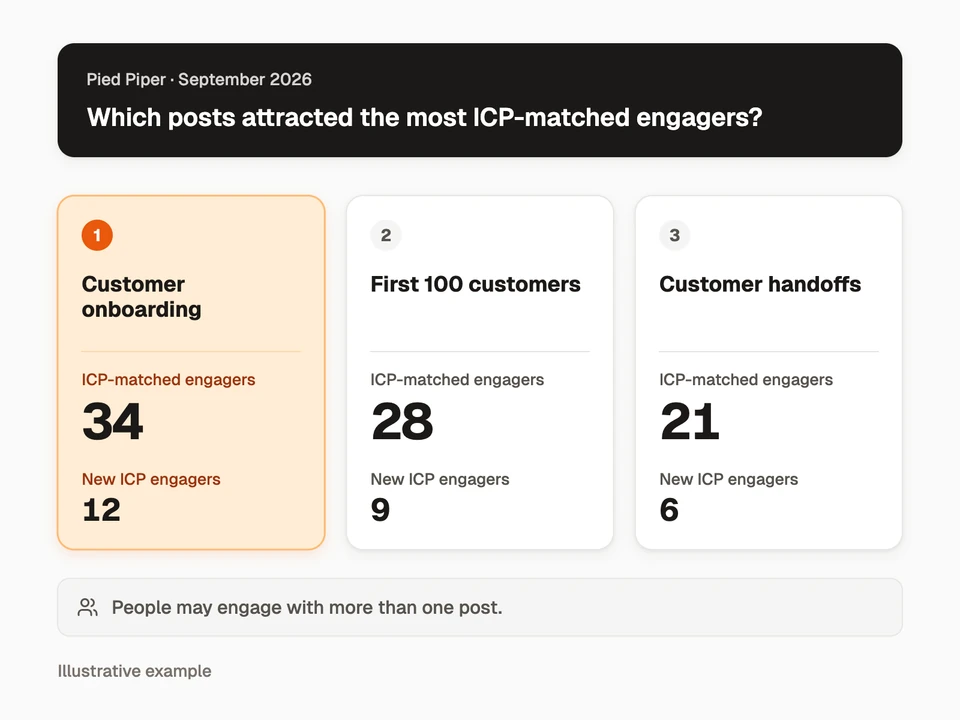
Ask which posts performed best, compare two reporting periods, and inspect the posts behind a change. Use the available metrics to answer a specific question instead of treating every increase in engagement as a win.
For example, compare posts by ICP-matched engagers to see which topics attracted people who match your ideal customer profile. Look at first-observed engagers alongside the totals when that data is available. A person may engage with more than one post.
Example request
“For [workspace] and [profile], rank September’s posts by ICP-matched engagers. Show first-observed ICP engagers alongside each post and explain any missing data.”
03
See who your content attracts
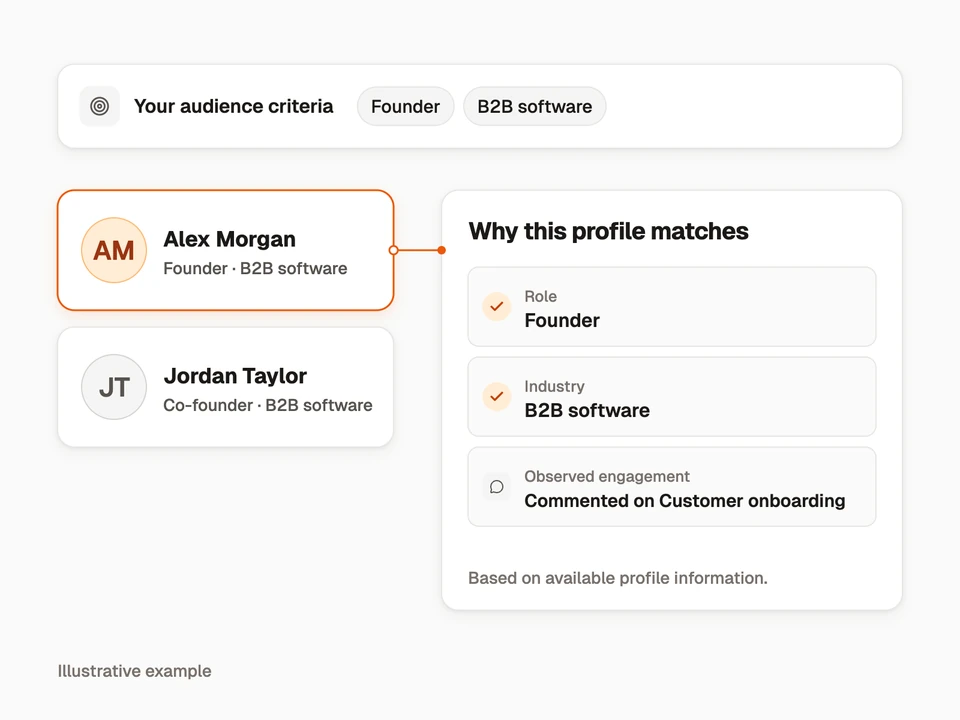
Go beyond the engagement count. Ask your AI assistant to inspect the available role, company, and engagement information behind an audience match, then compare it with your ideal customer profile.
Use that evidence to identify topics worth exploring with your audience. Classifications can be incomplete, and a match is not proof that someone is a buyer or intends to purchase.
Example request
“For [post], show the available evidence behind its ICP matches. Which role and company details support each match, and what information is missing?”
04
Prepare your client review
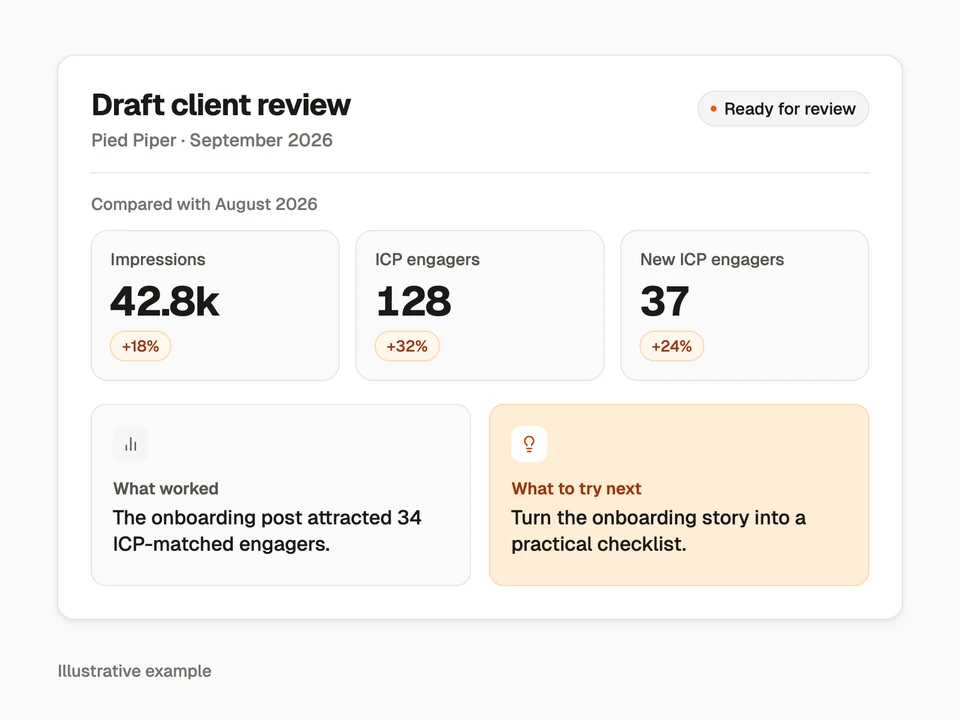
Turn the analysis into a client conversation. Ask your assistant to compare periods, explain the posts behind the results, and draft observations and next steps for your review.
Keep measured results, hypotheses, and recommendations distinct. Check the dates and figures against the source report before sharing. Drafting a response in your AI assistant does not automatically save or send a Linkedlytics report.
Example request
“Use [workspace] and [profile]. Compare September with August, explain the posts behind the biggest changes, and draft three observations and two ideas to test. Include data limitations.”
05
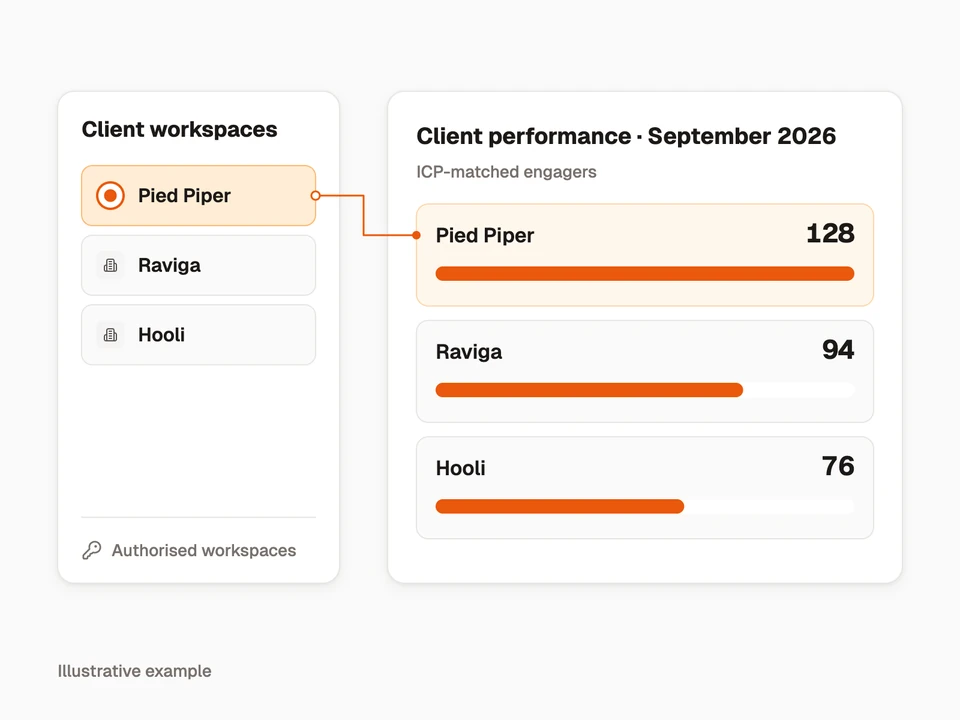
Keep each client in context
Choose the authorised workspace before asking about a client. Linkedlytics MCP uses the workspaces and capabilities you approve, so an analysis stays tied to the intended client and profile.
Start with reporting access to read and compare data. Saving a report, creating a public link, publishing content, or sending a reply requires the corresponding permissions and product access. Some publishing and settings tools currently use the separate single-workspace token connection; the tools reference explains the differences.
- Begin with reporting access for a read-only analysis.
- Review permissions before enabling actions that change or share information.
- Remove access in Linkedlytics Settings → MCP (AI connections) when it is no longer needed.
06
Connect your AI assistant
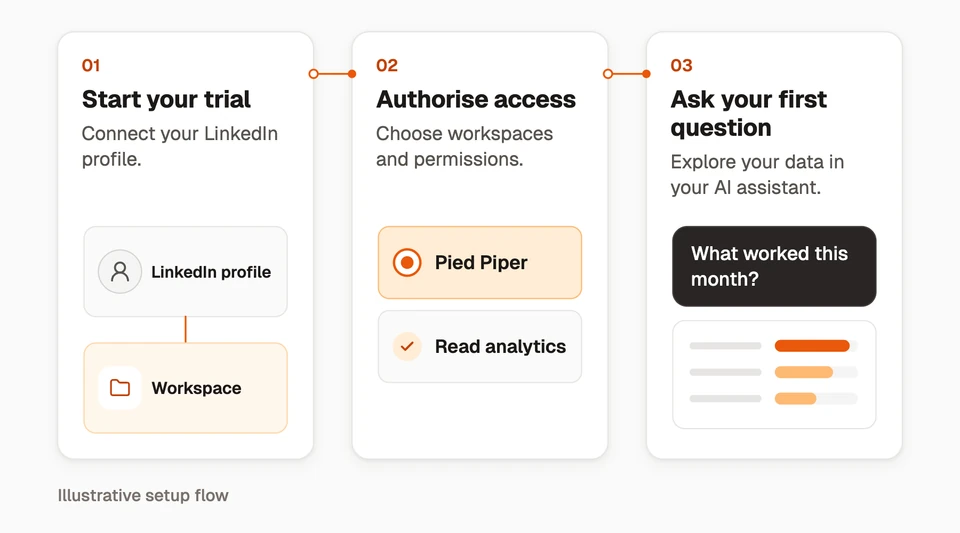
Start a Linkedlytics trial and set up your profile connection. Then follow the Claude, ChatGPT, or Grok Bot guide to add the LinkedIn MCP server, sign in, and choose the workspace access you want to grant.
https://www.linkedlytics.com/api/mcp
Ask the assistant to list your available workspaces and profiles before running your first analysis. Results depend on the data collected for the selected profile and dates.
AI subscriptions and usage charges are separate from Linkedlytics. Client support and workspace policies apply; connecting a server does not itself create scheduled routines.
Questions, answered
What is a LinkedIn MCP server?
A LinkedIn MCP server exposes LinkedIn-related data and tools to an AI assistant through Model Context Protocol. Linkedlytics’ server provides access to the collected profiles, posts, audience data, and reports in authorised Linkedlytics workspaces.
Can I use LinkedIn MCP with Claude, ChatGPT, or Grok Bot?
Linkedlytics provides guides for custom remote MCP connections in Claude, ChatGPT, and Grok Bot. Your AI account and workspace must support the required connection and authentication flow. Follow the guide for your client and review the access you grant.
Does Linkedlytics MCP give my AI access to every client?
No. The workspace connection uses approved workspace grants and capabilities. A single-workspace token is scoped to its workspace. Select the appropriate client and profile before requesting an analysis.
Can I publish LinkedIn posts through MCP?
Publishing tools exist for the single-workspace token connection and require an eligible connected profile. They are currently excluded from the newer workspace-grant connection. Immediate publishing has a confirmation step. See the tools reference for access and operation requirements.
Is this an official LinkedIn integration?
Linkedlytics is an independent product and is not affiliated with or endorsed by LinkedIn. The connector provides access to Linkedlytics tools and authorised workspace data; it does not grant unrestricted access to LinkedIn.
Connect your AI assistant
Start your Linkedlytics trial, then connect a supported AI assistant to the workspaces and tools you choose.
Start a trial to connect your AI assistant7-day free trial